https://smarttechwani.blogspot.com/

Tuesday, April 9, 2019

How to download videos from YOUTUBE by a short trick that you should know right now.


So Let's start:


Step 1 : Open youtube and select any video which you want to download.


Step 2 : Go to your URL tab and type .ss just before youtube.com and press enter to search.


Step 3 : when you press enter , another page will open with an download link and video formates then select your video formate and click  on download tab.


 Step 4 : After clicking on download tab, your downloading will be started and wait for few seconds.


Step 5 :  Now your video is downloaded. To show your downloaded video right click on arrow and then click on "show in folder" option and it will take you to the folder where your video is downloaded.

So finally here is your downloaded video.


If you would have any questions or concerns, please leave your comments. I would be glad to explain in more details.


Sunday, April 7, 2019

How To Activate Windows Permanently | Windows 10|8|7|xp..|All Versions Of Windows for FREE without any software.

As you know, Microsoft notified Windows 10 is “the last version of Windows” and explained that they will be focused on the development of powerful and new features under the guise of software updates instead of building a new version. This means there will be no Windows 11 in the future. So if you are thinking about an upgrade, this is the best time to get it.

SO LET'S GET START.


 Step 1 : Check the activation status of your windows:

Image result for how to activate windows all versions with steps


 Step 2 : Open your Chrome browser, type the following URL and press enter.

Step 3 : When you press enter , the following text will display.


 Step 4 : Select all and copy the text.


Step 5 : Open the new text document on your desktop.


Step 6 : Paste the copied text into the text document.


Step 7 : Then Save as file with windows.cmd.


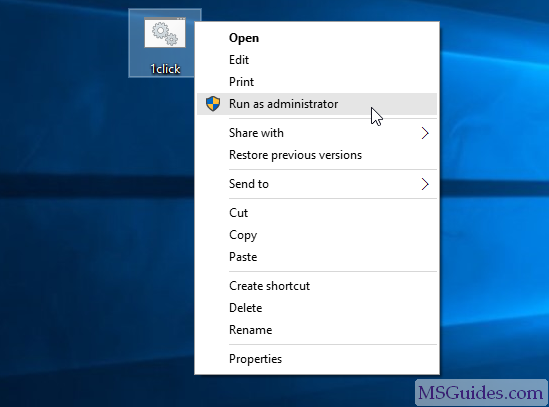
Step 8 : Run the file as Administrator.


run the batch file as administrator

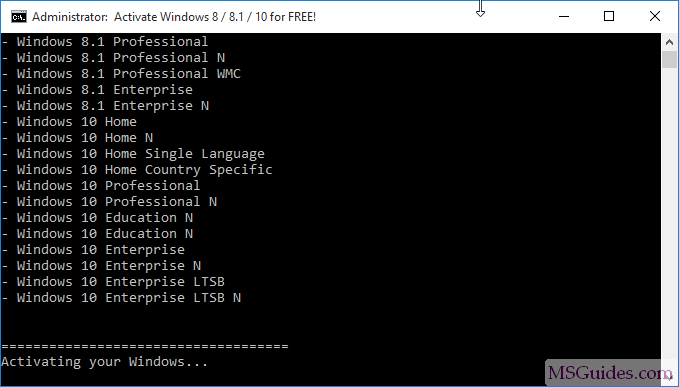
Please Wait......

NOTE: Your computer should be connected to the internet during running the file.

please wait a moment while the activation process is going on

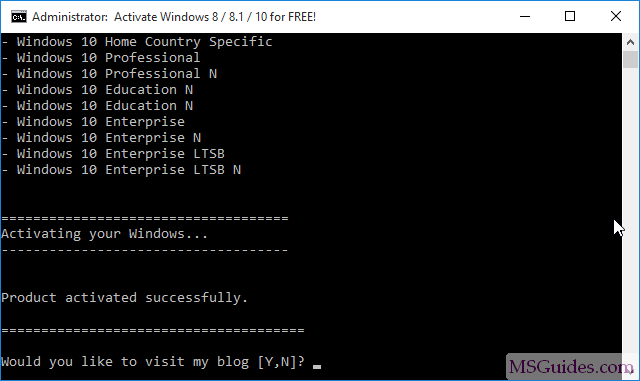
Finally your windows is activated

once again your windows was activated successfully

Note: If you guys see three times the same error message saying that the connection to KMS server was unsuccessful then go to the windows file again and run that.


Check the Windows status again.


If you would have any questions or concerns, please leave your comments. I would be glad to explain in more details.


Sunday, March 24, 2019

Learn css in 12 Minutes

CSS(cascading style sheet):

  • CSS is a language that describes the style of an HTML document.
  • CSS describes how HTML elements should be displayed.

What is CSS?

  • CSS stands for Cascading Style Sheets
  • CSS describes how HTML elements are to be displayed on screen, paper, or in other media
  • CSS saves a lot of work. It can control the layout of multiple web pages all at once
  • External stylesheets are stored in CSS files
This CSS tutorial contains hundreds of CSS examples.

CSS Example

body {
  background-color: lightblue;
}

h1 {
  color: white;
  text-align: center;
}

{
  font-family: verdana;
  font-size: 20px;
}
<div class="w3-display-container">
  <img src="img_lights.jpg" alt="Lights">
  <div class="w3-display-topleft w3-container">Top Left</div>
  <div class="w3-display-topright w3-container">Top Right</div>
  <div class="w3-display-bottomleft w3-container">Bottom Left</div>
  <div class="w3-display-bottomright w3-container">Bottom Right</div>
  <div class="w3-display-left w3-container">Left</div>
  <div class="w3-display-right w3-container">Right</div>
  <div class="w3-display-middle w3-large">Middle</div>
  <div class="w3-display-topmiddle w3-container">Top Middle</div>
  <div class="w3-display-bottommiddle w3-container">Bottom Middle</div>
</div>
Try it Yourself »

Why Use CSS?

CSS is used to define styles for your web pages, including the design, layout and variations in display for different devices and screen sizes. 

CSS Solved a Big Problem

HTML was NEVER intended to contain tags for formatting a web page!
HTML was created to describe the content of a web page, like:
<h1>This is a heading</h1>
<p>This is a paragraph.</p>
When tags like <font>, and color attributes were added to the HTML 3.2 specification, it started a nightmare for web developers. Development of large websites, where fonts and color information were added to every single page, became a long and expensive process.
To solve this problem, the World Wide Web Consortium (W3C) created CSS.
CSS removed the style formatting from the HTML page!